Enable Direct Messages
In this article, we explain how to enable direct messages so you can receive messages from your bot, for example.
Message requests
You can enable "Message Requests" to show non-friend senders in a separate list. There you can preview messages and choose to accept or ignore them.
Enable direct messages globally
To open your direct messages globally for everyone, follow these steps:
- Open your user settings.
- Click "Content & Social" in the sidebar.
- Under "Social Permissions," enable "Direct Messages."

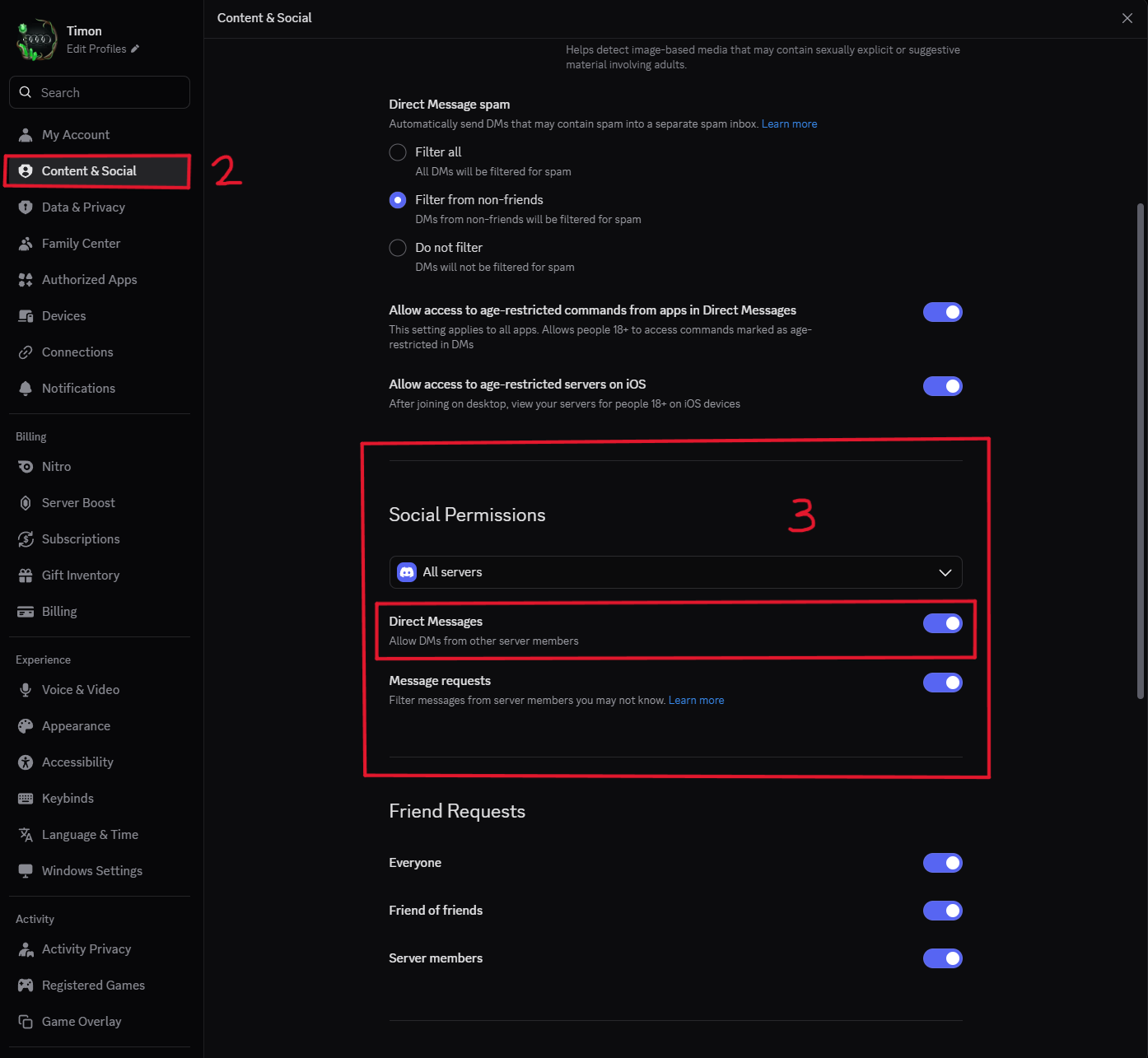
How the setting is applied
This setting only applies to servers you join after enabling it. On servers you have already joined, you need to enable direct messages individually.
Enable direct messages for specific servers
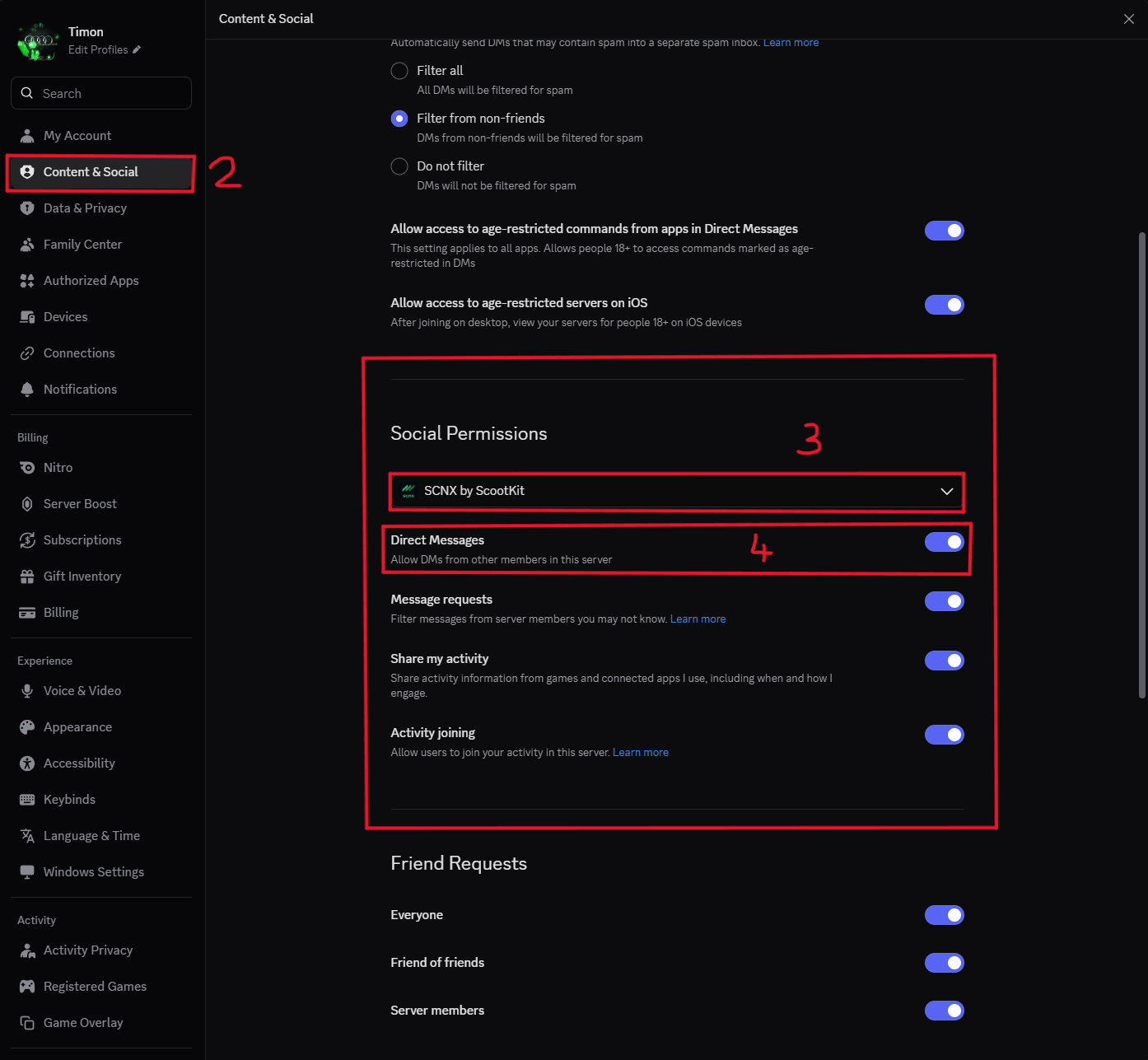
To open your direct messages only for certain servers, follow these steps:
- Open your user settings.
- Click "Content & Social" in the sidebar.
- Under "Social Permissions," select the server you want from the list.
- Enable "Direct Messages."
Need more help?
Can't find what you're looking for? Our team is happy to help.